Browsed by
Category: Tuesday Tip Series

This is used for all “major” scrapbooking tips presented in a series.

Color Pop

Color Pop

I love using photos that are B&W with a pop of color. Especially if I’m trying to highlight one particular part of a photo (as in the image below). And yes, this is another technique where Photoshop Elements (PSE) has a Guided Edit (B&W Color Pop) available. It works fairly well if you’re trying to isolate a given color within your original photo. But it gets a little tricky when it comes to figuring out how to edit/include more than…
Read More Read More

Artsy Layered Overlay

Artsy Layered Overlay

Two weeks ago, in my “Gradient Blend” post, I showed you how to create a stunning large photo layout. And earlier this year in my “Masks And Wands” post, I showed you how to create an overlay using the Magic Wand. Today I’m going to show you another way to use a large photo for a layout but this time with an artsy overlay. And I’ll show you how to create a different kind of large overlay using a piece…

Read More Read More

Ragged Edges

Ragged Edges

If you’ve been scrapping for any length of time, you’ve likely seen your fair share of paper tears. Over the years I’ve written two posts about them: “Creating Torn Paper” and “Torn Paper Brushes”. Today I’ll show you how to create some interest on a simple tag by adding a jagged edge. I don’t mean to confuse you; this will not be the same as tearing paper! Jagged (tattered) edges are distinctly different from paper tears. The primary difference is…

Read More Read More

Gradient Blend

Gradient Blend

Today is the first day after a long holiday weekend here in the United States (Labor Day Weekend). So, I thought I’d start September with something fairly quick and easy. Well, hopefully quick 😉 Especially since my last two posts about creating sketch and watercolor effects were both pretty involved! I don’t know about you, but every once in a while, I have a single photo that deserves to be the center of attention…but in a big way. By that…

Read More Read More

Watercolor Painting

Watercolor Painting

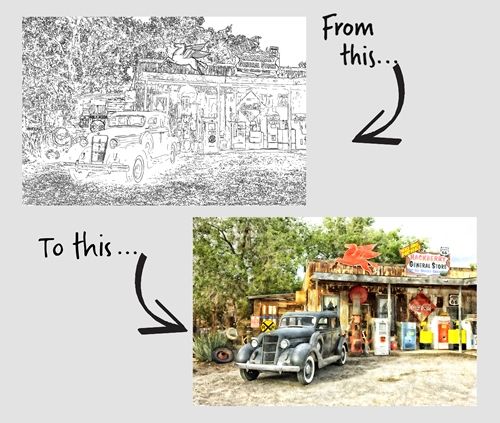
So, in last week’s “Photo Sketches” post I told you that this week I’d show you how to turn that sketch into a watercolor. Before I get into that I want to give you some examples of options available in Photoshop Elements (PSE) that can be used on an actual photo without first creating a sketch. You may already know that PSE has a Guided Edit (Watercolor Effect). And there are a series of filters, that when used in combination…

Read More Read More