Watercolor Painting

Watercolor Painting

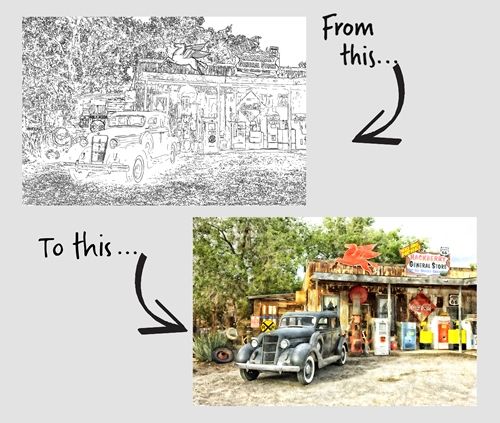
So, in last week’s “Photo Sketches” post I told you that this week I’d show you how to turn that sketch into a watercolor. Before I get into that I want to give you some examples of options available in Photoshop Elements (PSE) that can be used on an actual photo without first creating a sketch. You may already know that PSE has a Guided Edit (Watercolor Effect). And there are a series of filters, that when used in combination…

Read More Read More

Photo Sketches

Photo Sketches

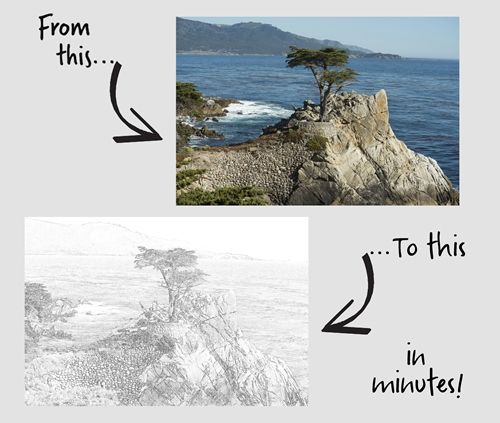
I venture to guess that you’ve likely seen examples of photos being turned into a sketch. Something similar to what you see in the featured image above. And you may know that Photoshop Elements (PSE) has a Guided Edit (Line Drawing) and a filter (Sketch – Graphic Novel) that will allow you to create the effect fairly quickly. While either of those options can work, I have found that there aren’t a lot of options for controlling the final result….

Read More Read More

Edge-To-Edge

Edge-To-Edge

No…it’s not my birthday. That featured image above is actually the front of a card I designed for a friend. I’m not going to make a promise but I am going to try very hard for this to bring an end to a barrage of title posts. I love this technique and I wish I used it more than I do. Though I admit, it’s not always easy to picture a layout focused around an edge-to-edge title. Regardless, it can…

Read More Read More

Transparent Edge

Transparent Edge

If you’ve been following me for the last few months, you know I’ve been talking a lot about titles. I think I finally figured out why I’ve been on this kick for a while. Titles are kind of a big deal for me. It’s how I introduce my layout to the viewer. And you know how important introductions can be. A good introduction should be more than just words. It’s about highlighting the essence of your story and making a…

Read More Read More

More On Folds

More On Folds

So, in last week’s “Split Title Twist” post I showed you how to “fold” a title in half. But it got a bit long and there is more to the story when it comes to folding a word. Today I’m going to show you how to enhance the fold so that it looks three dimensional and a bit more realistic. To do this, I’ll be using gradients, shadows the Warp tool and a custom brush. I’ll be picking up where…

Read More Read More